
Appearance
User Conditions Integration
Integrates Conditions with RainLab User plugin. Adds new User and User Group conditioners to the Conditions editor. Refer to the Conditions Editor for more information on Conditions.
Adding User or User Group Condition
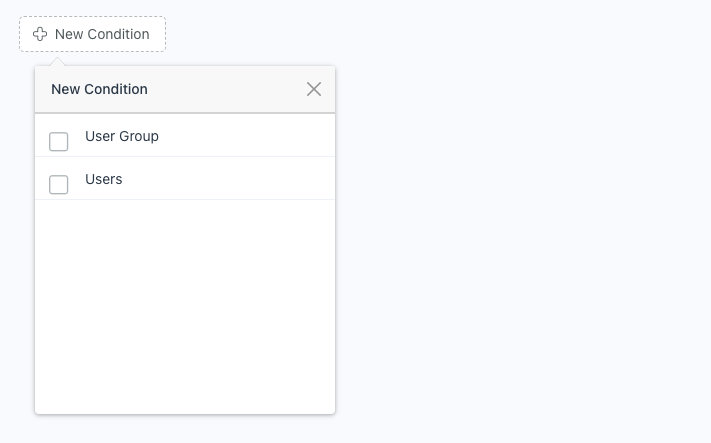
Press the New Condition button to open the condition type selector and select the type of conditioner you want.
NOTE
Condition types can only be added once. Attempting to add the condition type multiple times, will throw a warning
User Group Conditions
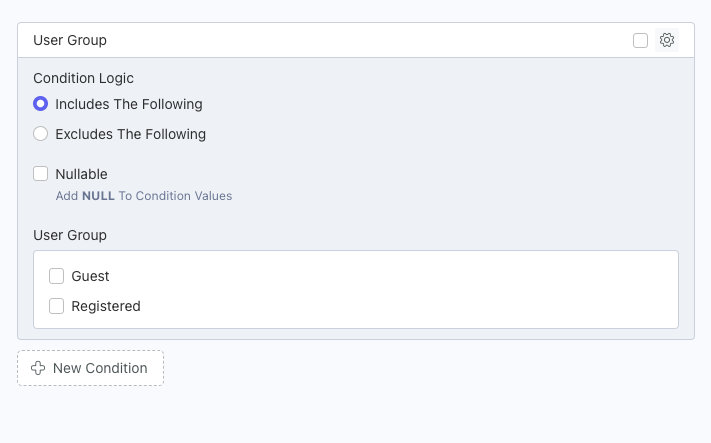
Condition Logic
The logic used when matching conditions. Includes will match the checked user groups. Exclude will match the unchecked user groups.
Nullable
Include users without a user group in the condition logic.
User Group
The user groups to check against the condition logic.
User Conditions
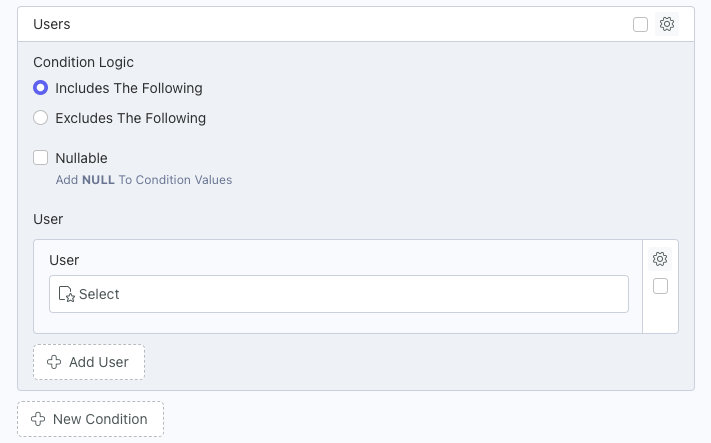
Condition Logic
The logic used when matching conditions. Includes will match users added to the user repeater. Exclude will match users not added to the user repeater.
Nullable
Include visitors (not logged in) in the condition logic.
Using Exclude logic with this checked would exclude visitors. Using Include logic with this checked will include visitors.
User
The users to check against the condition logic. Press the Add User button to add multiple users.